
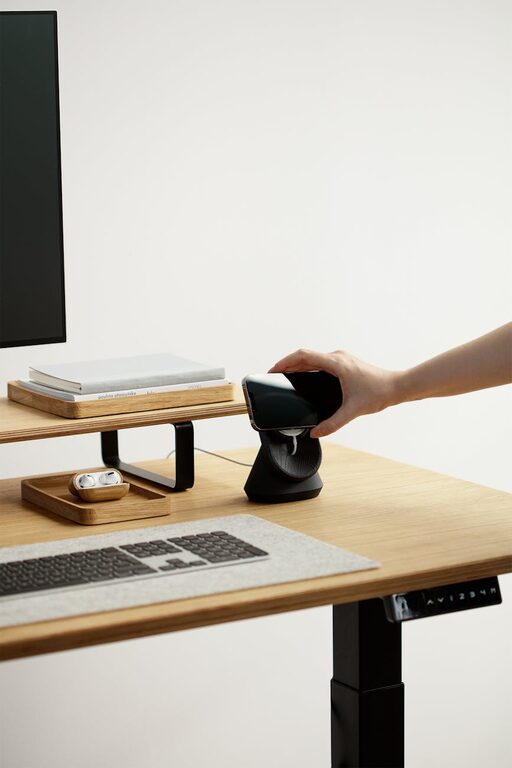
Creating a cozy and inviting home workspace is essential for anyone who spends considerable time working from home. A well-designed area not only supports productivity but also boosts your mood and comfort. Whether you have a dedicated room or just a small corner, there are many ways to make your workspace feel welcoming and inspiring.
Choose the Right Location
Finding the perfect spot for your home workspace is the first step. Ideally, you want a quiet area with minimal distractions. Here are some considerations:
– Natural Light: Position your desk near a window to benefit from natural light, which can enhance your energy and reduce eye strain.
– Privacy: Select a space away from high traffic areas to maintain focus.
– Space: Ensure there’s enough room for your essential equipment and to move comfortably.
Invest in Comfortable Furniture
Your furniture plays a big role in making your workspace cozy and ergonomic.
– Ergonomic Chair: Look for a chair that supports your back and encourages good posture.
– Desk Size: Choose a desk that fits your needs without overcrowding the space.
– Adjustable Options: Adjustable height desks or chairs can help accommodate different tasks and prevent fatigue.
Personalize Your Space with Decor
Adding personal touches can make your workspace uniquely yours and more inviting.
– Colors: Use soft, warm colors or those you find calming to create a relaxing atmosphere.
– Plants: Small indoor plants bring life to your workspace and improve air quality.
– Artwork: Hang inspirational prints or images that motivate and uplift.
– Textiles: Cozy blankets or cushions can add texture and comfort.
Organize Efficiently
Clutter can quickly make a workspace feel chaotic and stressful. Keeping things organized contributes to a calm environment.
– Storage Solutions: Use shelves, drawers, and organizers to keep supplies out of sight but accessible.
– Cable Management: Employ clips or cable boxes to keep cords tidy.
– Minimalism: Keep only what you need on your desk to maintain focus.
Optimize Lighting
Proper lighting is crucial for comfort and productivity.
– Task Lighting: A good desk lamp with adjustable brightness helps reduce eye strain.
– Ambient Lighting: Soft overhead lighting creates a warm ambiance.
– Avoid Glare: Position screens to avoid direct light reflections.
Incorporate Technology Thoughtfully
Technology tools should support your workflow without causing distraction.
– Quality Equipment: Invest in a reliable computer, printer, and other devices.
– Accessories: Consider keyboard wrist rests, noise-canceling headphones, or standing desk mats.
– Wireless Options: Wireless keyboards or mice reduce cable clutter.
Create Zones for Different Activities
If space allows, design different zones within your workspace for varied tasks.
– Focus Zone: For computer work and meetings.
– Creative Zone: For brainstorming or sketching.
– Break Area: A comfy chair or small nook for moments of rest.
Maintain Good Air Quality and Temperature
Comfort includes the physical environment beyond furniture and lighting.
– Ventilation: Open a window occasionally or use an air purifier.
– Temperature Control: Use fans or heaters as needed to keep the space comfortable.
Incorporate Sound Control
Sound can affect your concentration and calmness.
– Noise Reduction: Use rugs, curtains, or acoustic panels to soften noise.
– Background Sounds: Some prefer white noise or soft music to maintain focus.
Keep Your Workspace Fresh and Inviting Daily
Small daily habits can keep your workspace feeling fresh and welcoming.
– Tidy Up: Spend a few minutes each day organizing your desk.
– Refresh Decor: Rotate photos or decorations to keep things feeling new.
– Add Seasonal Touches: Incorporate seasonal plants or colors to stay connected with the time of year.
—
By combining comfort, organization, and personal touches, you can create a home workspace that not only looks inviting but also enhances your work experience. Investing time and thought into your environment pays off with better focus, less stress, and more enjoyment while you work.